 CloudPhone
 Blog
Cloud phone latency explained: RTT, packet loss and FPS
Others write "low latency". We write the number. What latency actually is, how to read it, and how to check it yourself.
What is cloud phone latency?
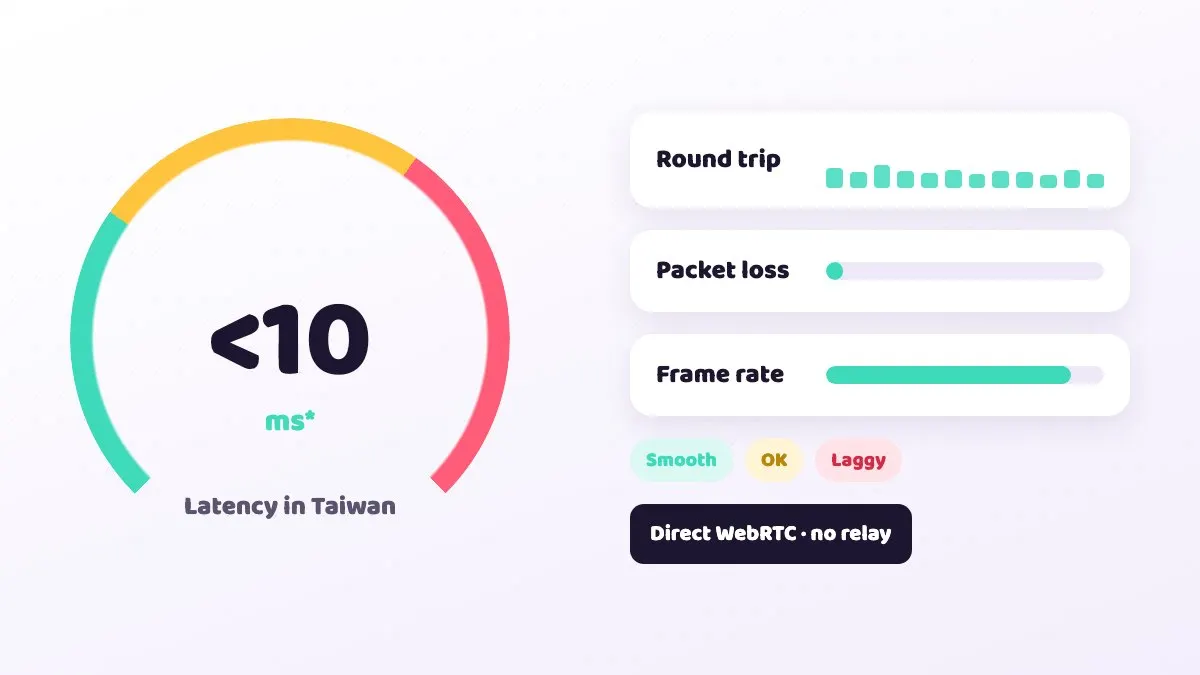
Cloud phone latency is the time between tapping the screen and seeing the cloud phone react, and the biggest variable in it is network round-trip time (RTT). CloudPhone Go phones sit in a Taiwan data centre and stream over direct WebRTC with no relay server, giving a median latency under 10 ms in Taiwan (measured September 2026 from Taiwan fibre and 5G; it varies with your network).
Plenty of cloud phone services say 'low latency' without telling you how low or how it was measured. This post breaks latency down: what it is made of, what RTT, packet loss and FPS mean on screen, how much latency different games can tolerate, and what to check yourself when things feel sluggish.
What makes up the latency of a single tap?
From the moment you tap in the browser to the moment you see a reaction, roughly this happens:
- Your tap leaves the browser and travels over your Wi-Fi or mobile network to the Taiwan data centre.
- The cloud phone receives the touch, and the game processes it and draws a new frame.
- The new frame is compressed into a video stream (CloudPhone Go uses H.265).
- The video travels back over the network to your device.
- Your browser decodes the video and shows it on screen.
Steps 1 and 4 together are the RTT, and that is the part most affected by distance and network quality. Encoding, decoding and the game's own processing add to the total too, but they are usually more stable. So the key to a cloud phone that feels responsive is keeping RTT low: a nearby data centre, a short path and no extra relay server in the middle.
How do you read RTT, packet loss and FPS?
The CloudPhone Go connection quality indicator shows all three live. Each one points to a different kind of problem:
| Metric | Meaning | General reference range | What bad numbers feel like |
|---|---|---|---|
| RTT | Time for a packet to reach the data centre and return | Usually within 10 to 20 ms on Taiwan fibre or 5G | Taps register a beat late |
| Packet loss | Share of packets that never arrive | Ideally under 1% | Skipped frames, blur, brief freezes |
| FPS | Frames per second | Steady 30+, higher is better for action games | Choppy, stuttering animation |
Read them together. Low RTT with high packet loss means the path is short but unstable, which is common on weak Wi-Fi. Normal RTT and packet loss with low FPS can mean your device is struggling to decode, or the game is momentarily heavy.
Also watch for RTT jumping around. An average of 8 ms that spikes to 80 ms now and then feels worse than a steady 15 ms. Don't judge from a single moment; watch for a minute or two.
How much latency do different games need?
Not every game needs ultra-low latency. This is a general player rule of thumb, and how it feels varies from person to person:
| Game type | Examples | Sensitivity to latency |
|---|---|---|
| Idle and AFK | MMO auto-combat, idle RPGs | Low. The idle runs in the data centre, independent of your network |
| Turn-based and card | Turn-based RPGs, card battlers | Low to medium. A slight delay usually doesn't matter |
| Puzzle, rhythm, real-time input | Orb puzzles, rhythm games | High. Latency directly affects feel |
| MOBA and shooters | 5v5 games like Arena of Valor, mobile shooters | Very high. Every move and skill depends on reaction time |
If you mostly idle, farm dungeons or level alts, latency isn't the main concern; stable 24/7 uptime is. But if you want to play reaction-heavy games on a cloud phone, how close the data centre is matters a lot. That is why CloudPhone Go only runs devices in Taiwan.

How is cloud phone latency different from in-game ping?
Playing on a cloud phone actually involves two connections: one from your device to the cloud phone, and one from the cloud phone to the game server. The RTT in the connection quality indicator is the first. The ping or latency number in the corner of the game is the second.
They are separate. On 5G on a moving train the first leg may slow down, but the cloud phone sits on a stable wired connection in the data centre, so the second leg usually isn't affected. If controls feel a beat late while in-game ping looks normal, check your own network rather than the game server.
- Slow first leg (high RTT): affects how controls feel, not the idle itself.
- Slow second leg (high in-game ping): usually down to where the game server is or how busy it is. Servers for popular Taiwan mobile games are mostly in or near Taiwan.
- Keep both short: for reaction-heavy games, a cloud phone in Taiwan keeps both legs short and gives the best overall feel.
Why can CloudPhone Go keep latency this low?
- The data centre is in Taiwan, so a connection from Taiwan doesn't cross the sea to Singapore or Hong Kong and back.
- Direct WebRTC: video streams straight from the cloud phone to your browser with no relay server, so there is one less hop.
- H.265 encoding uses less bandwidth at the same quality, so it is less likely to stutter when the network is busy.
- Real phone hardware: an 8-core ARM processor (4x Cortex-A76 plus 4x Cortex-A55, up to 2.4 GHz), so the game's own processing isn't slowed by emulation.
胖胖, one of the team, built the service because overseas cloud phones lagged so badly from Taiwan that he couldn't even idle Lineage M with peace of mind. Taiwan servers, direct connections and published numbers were the plan from day one.
How do you check cloud phone latency yourself?
- Use the device and network you normally game on. Open a browser, sign in to CloudPhone Go and open your cloud phone.
- Open the connection quality indicator and note RTT, packet loss and FPS.
- Leave it on the home screen for a minute or two and watch whether RTT jumps around.
- Open the game you want to play, do a few reaction-heavy actions and see if the numbers change.
- Test again on a different network, for example switching from Wi-Fi to 5G, and compare.
- If one network is clearly worse, avoid it for reaction-heavy games.
If you haven't subscribed yet, email hello@cloudphonego.com for a free 12-hour trial card. Testing on your own network is the most accurate check there is.
What should you do when latency is high or the picture stutters?
- RTT suddenly jumps: it is usually your own Wi-Fi or mobile network. Move closer to the router or reconnect.
- Switch to 5 GHz Wi-Fi or a wired connection. 2.4 GHz picks up interference from neighbouring networks.
- Avoid crowded public Wi-Fi. Cafe and station networks are often congested and lose more packets.
- Someone at home is downloading or streaming in high quality: pause other heavy traffic and try again.
- Corporate VPNs or strict firewalls can block direct WebRTC, so the stream won't connect or stays unstable. Try another network.
- No picture at all: very old browsers without WebCodecs cannot play the stream, so update your browser. On iPhone and iPad, Safari works.
- Low FPS on a healthy network: close other browser tabs or try a more capable device.
Remember that even if your own connection drops, the cloud phone keeps running in the data centre and your idle isn't interrupted. Reopen the browser when you are back online and pick up where it is.
What does 'median under 10 ms' actually mean?
A median means that if you sort all the measurements from lowest to highest, the one in the middle is under 10 ms. Roughly half the measurements are lower and half are higher. It is more honest than quoting the lowest latency, because the lowest value is often just one lucky reading.
The figure was measured in September 2026 from Taiwan fibre and 5G networks to the CloudPhone Go Taiwan data centre. Your numbers will vary with your provider, location, Wi-Fi quality and congestion at the time, and connecting from outside Taiwan will be higher. The most reliable number is the one your own connection quality indicator shows.
FAQ
Q: What counts as good cloud phone latency? A: As a general guide, RTT steady within 20 ms, packet loss under 1% and a steady 30+ FPS make most games play smoothly. Action games are more sensitive, so lower is better.
Q: Does high latency affect idling? A: No. The idle runs on the cloud phone in the data centre. Your network only affects viewing and controlling it. If your connection drops, the game keeps going.
Q: Can I use it from overseas? A: Yes, through a browser, but the data centre is in Taiwan, so the further away you are, the higher the RTT. Idling is unaffected; reaction-heavy games will feel less responsive than from Taiwan.
Q: Why does my RTT go up and down? A: The most common causes are unstable Wi-Fi or other devices using your bandwidth. Try 5 GHz or wired and watch for a minute or two.
Q: Is mobile 5G slower? A: Not necessarily. Taiwan 5G with a good signal can have very low latency, but it tends to fluctuate when you are moving or the signal is weak. Compare Wi-Fi and 5G in the connection quality indicator.